
When your videos are already good but your channel page still looks like a random mix of banners and thumbnails, growth gets slower than it should be. These minimal YouTube branding kit options keep everything speaking the same visual language — banner, thumbnails, intros, outros, even logos — so your channel finally feels like a brand, not a design experiment.
1. Minimal Gray YouTube Branding Kit
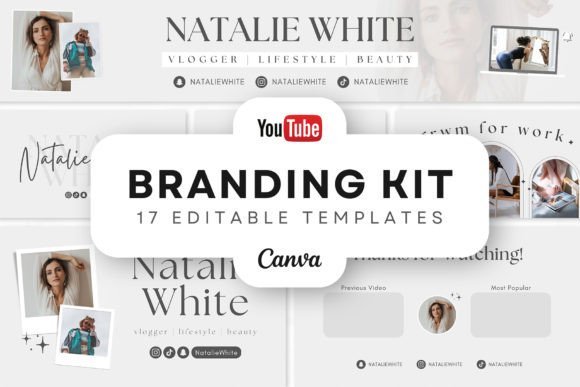
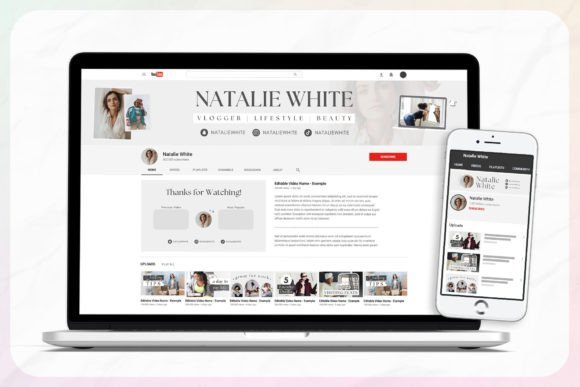
Starting a channel and realizing your banner, thumbnails, intros, and outros all look like they came from different designers is one of those things that’s hard to unsee. This minimal YouTube branding kit gives you 16 editable gray templates that actually match each other — banners, thumbnails, intros, outros, and watermarks all built around the same clean, minimal aesthetic.
My favorite part is the range of what’s included: 3 banner sizes, 5 thumbnail layouts, 4 intros, 2 outros, 2 watermarks, and 10 social media icons — everything you need to launch or rebrand your channel without hiring anyone. Swap colors, adjust fonts, drop in your own photos, and animate elements if you want.
Works great for creators who want a minimal YouTube channel branding kit, gray YouTube branding templates, YouTube thumbnail templates, or a full YouTube channel design kit that looks cohesive from the banner all the way down to your watermark — without spending hours building it from scratch.
2. Minimal YouTube Branding Kit for Creators
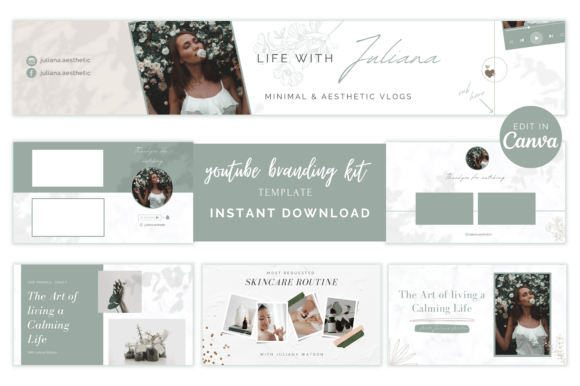
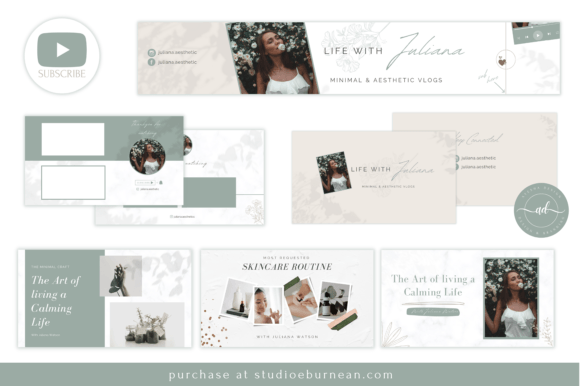
Getting your channel to look consistent across every touchpoint — banner, thumbnails, intros, endslates, watermark — usually means either hiring someone or spending a weekend figuring it out yourself. With a minimal YouTube branding kit like this one, you get 9 clean, airy templates that match each other right out of the box, ready to personalize without any design background.
You get a banner, 3 YouTube thumbnail templates, 2 animated intro slides, 2 endslates, and a watermark — enough to cover your entire YouTube channel design kit in one sitting. Change colors, fonts, and photos to make it yours, and every piece still feels like it belongs together.
3. Minimal YouTube Branding Kit for Clean Channel Design
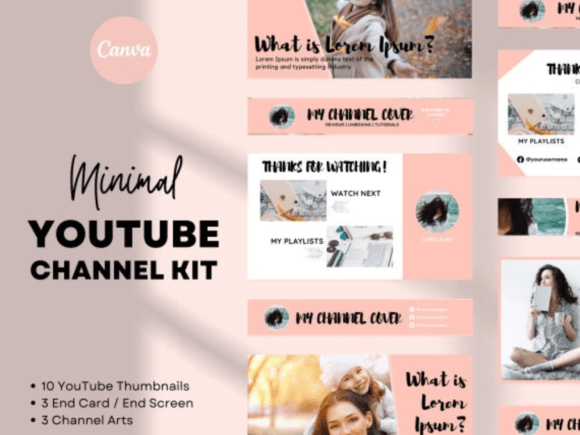
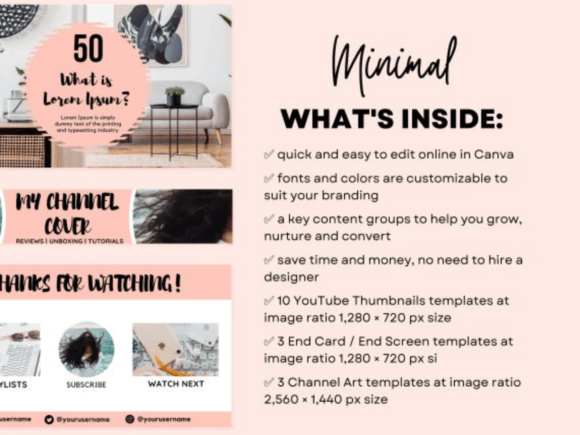
Banner getting cut off on mobile, thumbnails looking too small in the feed, end card not aligning in the editor — most creators waste a lot of time on exactly this before they even start uploading. A minimal YouTube branding kit with built-in alignment guides takes that frustration off the table: you see exactly where your elements land across all three screen sizes before you export anything.
Works great for creators who batch their content and need YouTube templates that are already set up for bold, readable text — not something you have to rebuild every time you sit down to design. Swap colors and fonts to match your brand, drop in your own photos, and the whole channel looks intentional from the first visit.
My favorite part is the end card setup — already formatted for the YouTube editor, so no extra time spent on alignment after the fact. Whether you need YouTube channel art templates, a full YouTube creator branding kit, or just YouTube branding templates that hold together across thumbnails, banners, and end screens without looking like three different designers touched them.
4. Minimal YouTube Branding Kit
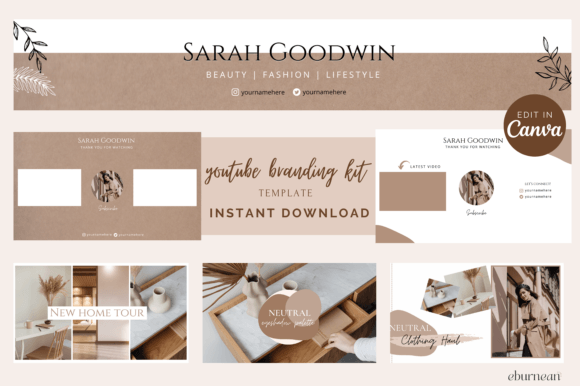
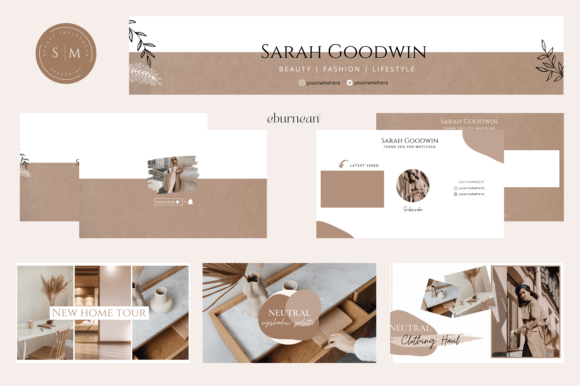
If your channel visuals feel mismatched or just… generic, a cohesive branding kit changes everything fast. This one leans feminine and soft — clean layouts, beautiful typography, and a light aesthetic that works really well for lifestyle, beauty, wellness, or any niche where the look matters as much as the content.
You get a banner, thumbnails, animated intro slides, endslates, and a watermark — all in one pack, all matching. Swap colors, fonts, and photos to make it yours, and your whole channel feels pulled together without touching a single design tool beyond a free editor.
Works great whether you’re just starting out or finally giving your channel the refresh it needed. This minimal YouTube branding kit covers every visual touchpoint — from your first impression on the channel page all the way to your YouTube endslate templates, feminine YouTube branding kit, and YouTube watermark templates that tie everything together.
5. Minimal Templates for YouTube
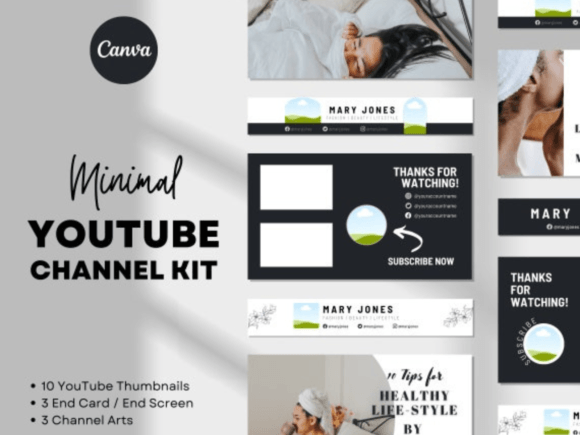
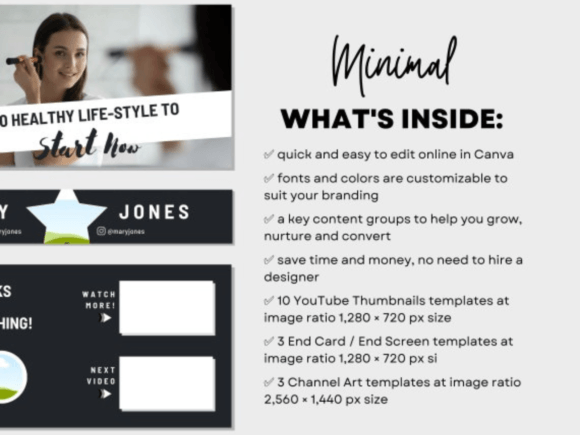
Getting your channel to look cohesive across thumbnails, banners, and end cards is genuinely one of the more annoying parts of running a channel — everything has to line up across three different screen sizes at once. This minimal YouTube branding kit solves that in one download: guides are already set up so you can see exactly where your elements land on desktop, tablet, and mobile without the guesswork.
You just swap fonts, drop in your brand colors, add your photos, and you’ve got a consistent set of minimal YouTube templates that actually look like they belong together, not like three separate design projects. If you’ve been searching for a YouTube branding kit, minimal YouTube channel templates, or YouTube thumbnail templates that save you hours of lining things up manually, this pack is the kind of thing you set up once and keep reusing every time you post.
6. Aqua Minimal Home Decor Branding Kit
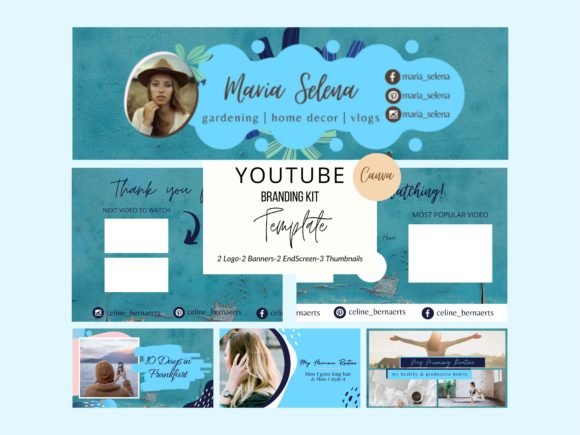
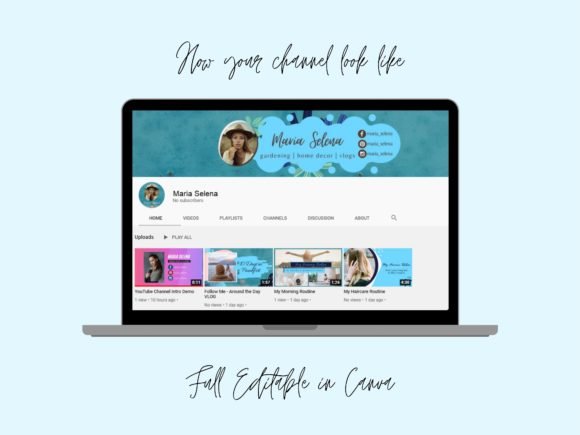
Home decor channels live and die by their visual consistency — the moment your banner feels warmer than your thumbnails, or your logo doesn’t match the end card, viewers pick up on it even if they can’t name exactly why. This minimal YouTube branding kit is built around a clean aqua palette that ties every piece together: logos, banners, end screen cards, and thumbnails all share the same calm energy so your channel feels like one deliberate creative decision, not a collection of random assets.
Everything is built inside Canva — open the template, swap your details, and you’re done. The aqua YouTube branding templates and home decor vlogger templates are already sized correctly across the board: 500×500 logos, 2540×1440 banners, 1920×1080 end cards, and 1280×720 thumbnails. Creators looking for minimal Canva YouTube templates that already feel cohesive tend to love this one because the color story does the heavy lifting — you’re not fighting the design to make it work, it already does.
7. Brown Minimal Premade Branding Kit Canva
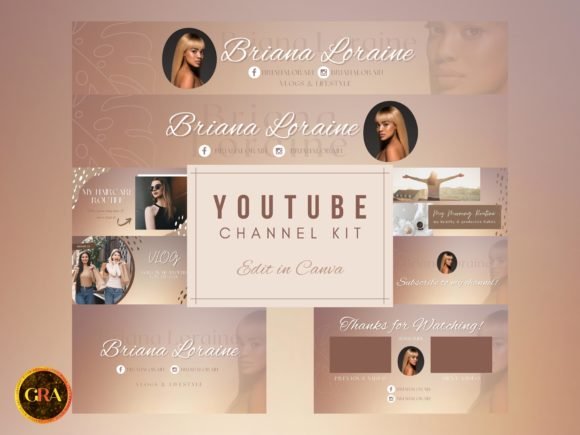
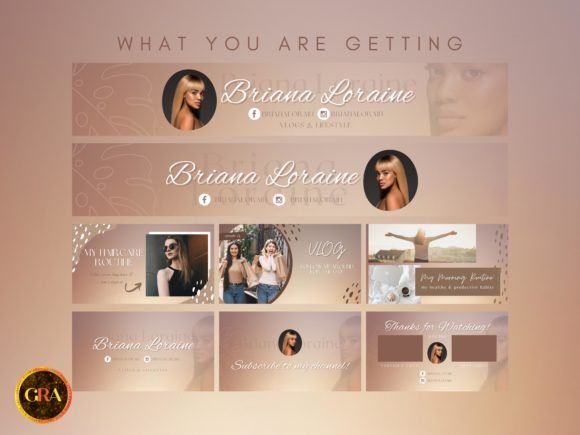
Brown tones have a way of making a channel feel grounded and editorial without trying too hard — warm enough to feel personal, neutral enough to let your content take center stage. Premade with exactly that energy, this minimal YouTube branding kit covers two wide-format banners, animated intro and outro, and three thumbnails, all tied together by the same calm brown palette so nothing feels out of place.
The animated intro runs five seconds, the outro eight — short enough to keep viewers engaged, long enough to make your brand land. Because everything lives in Canva, the premade Canva YouTube templates are ready to open and edit without any technical setup: drop in your channel name, adjust a font or two, and you’re publishing with a look that actually feels considered. Creators hunting for brown YouTube branding templates or a DIY YouTube channel kit that skips the blank-canvas overwhelm tend to pick this one specifically because the hard design decisions are already made for you.
8. Modern Flower Premade YouTube Branding Kit
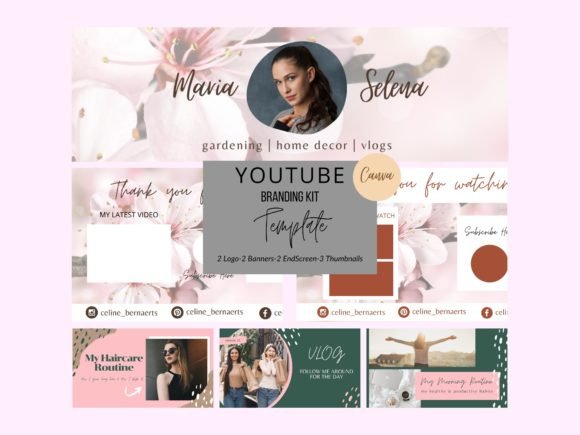
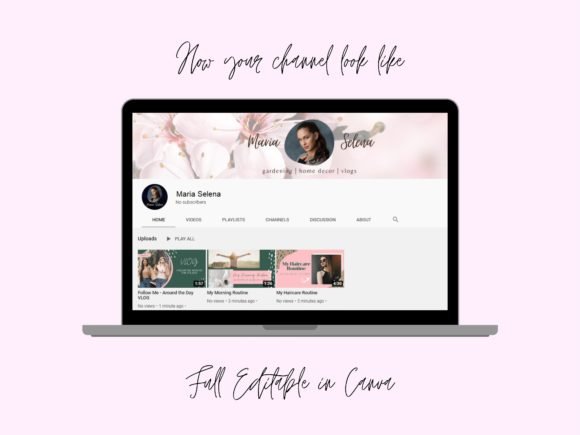
Floral aesthetics and minimal design don’t always play well together — but when they do, the result is a channel that feels both polished and warm. This pack nails that balance: clean layouts with botanical detail, all built around the same visual language across logos, banners, end screen cards, and thumbnails. Every element is sized correctly from the start, so there’s no resizing, no guesswork, and no mismatched assets when you go to publish.
Well-organized layers inside Canva mean you’re working with a premade flower YouTube branding kit that’s actually easy to edit — change the text, drag in your photos, and the whole thing still holds together. Two logo options, two banner formats, two end cards, and three thumbnails make this a complete floral YouTube channel kit for anyone building a lifestyle, wellness, or creative channel. Creators looking for minimal flower YouTube templates or a Canva vlogger branding kit with a soft, editorial feel tend to love this one because the design does the heavy lifting — you just make it yours.
9. Boho Aesthetic YouTube Branding Kit Canva
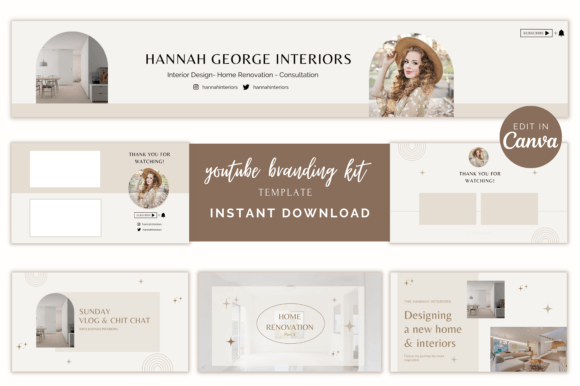
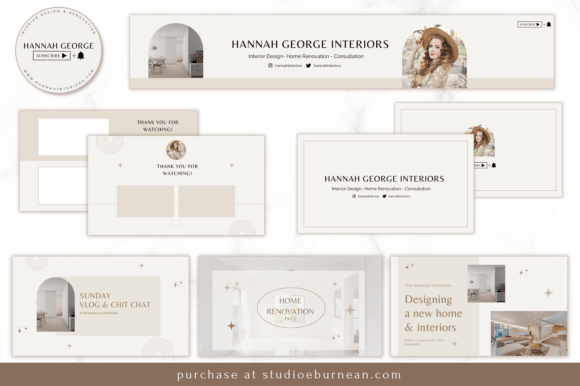
Boho style is one of those aesthetics that looks effortless but falls apart the second your visuals don’t match — too many competing textures, inconsistent tones, and the whole vibe disappears. One banner, two endslates, two animated intro slides, three thumbnails, and a watermark — all carrying the same relaxed, earthy energy so your channel feels intentional from the first click.
Everything is built with free elements and opens straight in your browser — change colors, swap fonts, drop in your photos, and the aesthetic holds without any technical setup. Creators building around travel, wellness, or creative content tend to reach for this boho YouTube branding templates pack because the warm, organic feel translates across every asset without extra effort.
Whether you’re setting up from scratch or finally giving your channel a cohesive look, this minimal YouTube branding kit covers every visual touchpoint you actually need. The aesthetic YouTube templates are sized exactly to YouTube specs right out of the box, and the YouTube channel branding pack ties the whole identity together across every video you post — no redesigning, no second-guessing.
10. Grey Minimal Blogger Branding Kit DIY
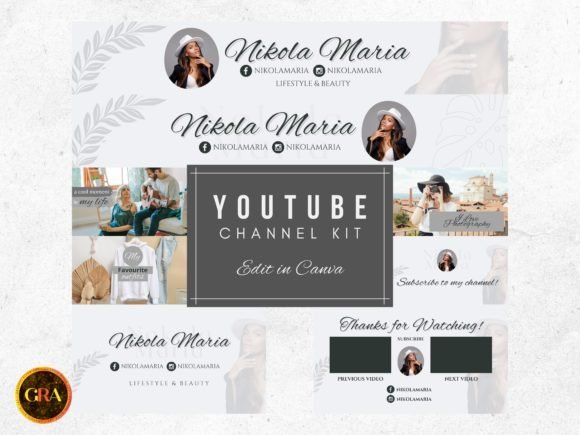
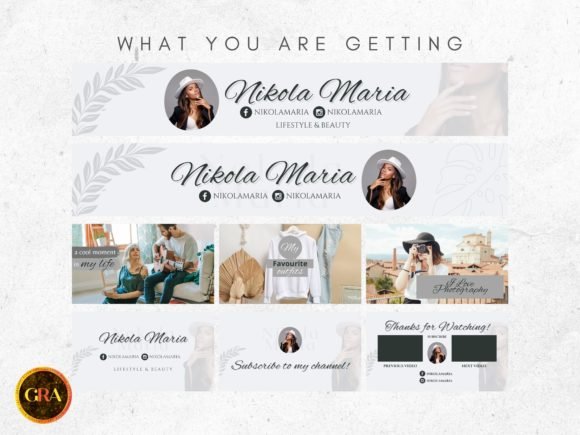
Grey is one of those base tones that quietly makes everything around it look more intentional — your photos pop, your text stays readable, and nothing fights for attention. You get two wide banners, a short animated intro, a slightly longer outro, and three thumbnails, all in the same calm style that supports your content instead of competing with it. Most grey YouTube branding templates stop at static graphics; here you already have motion, subtle transitions, and that “put-together” feel even if you’re editing late at night after work.
The nice part is you don’t need any complicated software: open the template, drop in your channel name, tweak a couple of lines, plug in your own footage, and you’ve got a complete minimal YouTube branding kit. If you’re a blogger who films on instinct and posts when inspiration hits, this DIY YouTube channel kit just takes the design problem off your plate. Plus, the premade blogger YouTube templates are already sized for the platform properly, so nothing gets cropped weirdly or cut off where you don’t expect it.
11. Black Marble YouTube Branding Kit
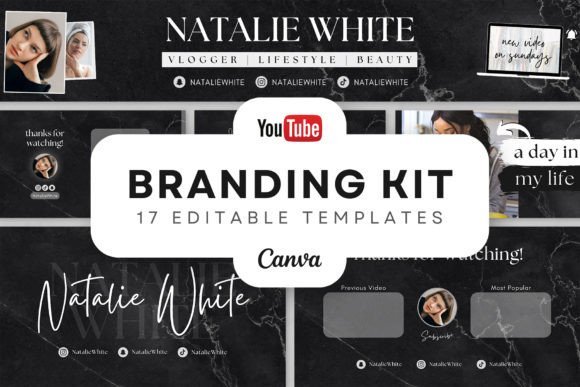
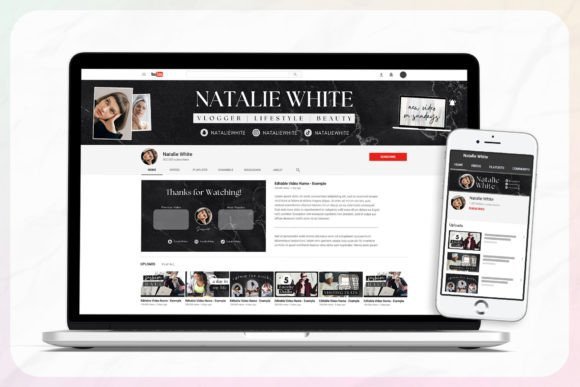
You know that feeling when your channel almost looks put together, but the banner, intros, and thumbnails still feel a bit random? That’s exactly where this black marble set comes in. You get 16 pieces that all share the same minimal black-and-white texture, so your banner, intros, outros, thumbnails, and watermarks finally look like they were planned together, not thrown in over time. It’s still simple and clean, just with a bit more attitude than a flat grey – a minimal YouTube branding kit with a sharper edge.
You can tweak pretty much everything: colors, fonts, text size, placement, images – and if you like a bit of motion, you can animate the layouts instead of building anything from scratch. Once you grab the PDF, you’ve got direct links into all the templates plus the social icons, so it’s literally an open–adjust–export workflow. If you’ve been hunting for black marble YouTube templates, editable YouTube channel templates, or YouTube intro and outro templates that feel modern without being shouty, this set gives you a solid, repeatable look you can keep using video after video.
12. Minimal YouTube Branding Kit Templates
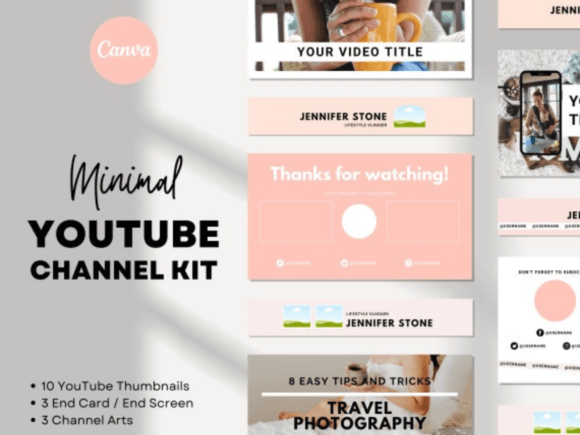
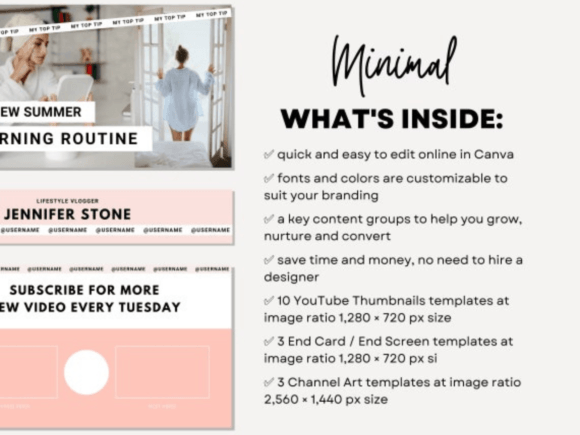
Lining up your banner, thumbnails, and end screens so they behave on desktop, tablet, and mobile can easily steal more time than actually editing your videos. Instead of building everything from zero each time, you get channel art, thumbnails, and end cards with guides already in place, so you can see what’s getting cropped where before you export anything. Big, readable text blocks and clear image areas mean your thumbnails still work when they’re tiny in the feed, not just in the Canva preview.
You don’t need any fancy skills to make it yours – just drop in your own titles, switch up fonts and colors, and plug your photos into the existing layout. Thumbnails come in the recommended 1280×720 size, end screens match YouTube’s 16:9 canvas, and channel art is set up for 2560×1440 so it holds together across devices. If you’re posting regularly and hate redoing the same layout from scratch, this minimal YouTube branding kit is the kind of thing you tweak once and then reuse for every upload — a set of YouTube thumbnail templates, YouTube banner templates, and YouTube channel layout templates that already keep all the important stuff exactly where it needs to be.
Why the Right Minimal YouTube Kit Makes Your Channel Easier to Run
At some point, your biggest bottleneck isn’t “what do I post?” but “how fast can I make this look decent enough to publish?”. That’s where clean, minimal branding kits quietly step in and do the heavy lifting. They give you a fixed visual system — type, spacing, safe image areas, consistent thumbnail structure — so every new upload feels like part of the same story with almost no extra thought. Instead of burning energy on design decisions, you get to focus on the part that actually moves the channel forward: the content and the ideas behind it.